Showing posts with label Newbie Resources. Show all posts

Monday, January 20, 2014

Monday Meme: Second Life Helpful Tools Meme

Walking Setup

This is my standard walking setup - you can click through for full sized. Both the chat window and the inventory window can be closed if I'm walking around, but I tend to keep the mini-map and both the Move and Camera Controls open. The fact that the bigger panels no longer go as transparent has been a bit of a pain, but I've adjusted. Since I use Firestorm, I have the bottom panel of buttons, and I keep things in this order: Area Search (particularly useful in large or unorganized stores), Phototools (opens up a panel of controls that are useful for photography), Snapshot (I keep open the complicated one instead of the quick shots so that I can change minor aspects before I photograph something), People (I open this when I'm tracking people on a sim), Places (easy access to recent places I've been), Search (self-explanatory), Map (mostly useful when I get stuck on a no-fly sim), Animation Overider (so I can turn it off for photographs), Quick Prefs (a variety of basic things to change), and Inventory.
Script and Height Measurement

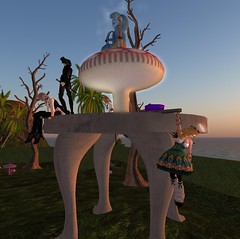
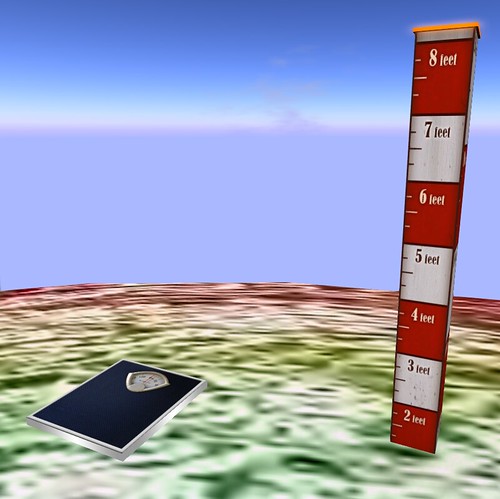
This is my dressing platform. It has a Turn180 Script inside of it, so that when I sit on it I am turned around and posed for fittings. I think I got the script as part of a free script box, and it's full perm, so hit me up inworld if you need one. I rarely take pictures up here, but I change here a lot and part of why it is so enormous is so that I can open boxes across it when I'm in full on inventory management mode. The whole structure is locked into place, but I still accidentally delete stuff semi-regularly. The double rainbow was a gift from my landlord who lets me squat on his land. A while ago I had a whole island set out by him, but the connecting islands were cleared about a half year ago, and when that happened I replaced everything with my own rainbows - the smaller island I change on, and the larger one which is under my two photo balls. Also on my dressing platform are two of my longest lasting tools - one to measure height, and the other to measure script weight. The Weight Scale Script Counter is a free purchase on the Marketplace and is critical before heading off into busy areas. The Avatar Ruler is another free Marketplace purchase, and is useful for checking actual height to the top of the head, instead of the eyes. Both of them are a single prim.

Photo Balls

These are my two photoballs; I made them myself, though the script inside (another free, full perm one) was a gift from Glitterati ages ago and simply allows me to sit. I pose using the pose HUD I'll show below. The balls are hollow, colored on the inside and with a transparent texture on the outside so that no matter which way I angle my camera I'm surrounded. I prefer this to the standard L-shaped pose studio, though it doesn't allow for a lot of background detail. If I'm building a set, I build it on the platform below and move this around to surround if I don't want the sky showing. 
Room for Friends

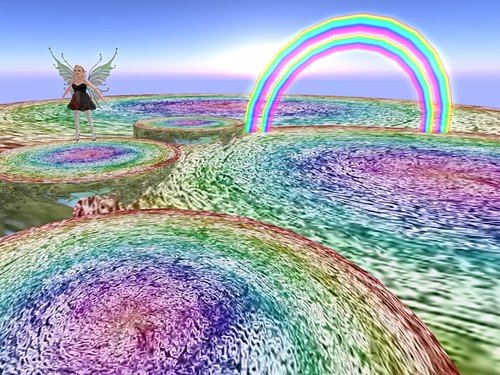
This shows off my friends and family section of my changing platform - each of these little platforms is like my larger one and placed around the sides if I have visitors who want to change, too. It's also a rather nice effect, looking like loads of little circles floating in the air.
Photography Setup Layered

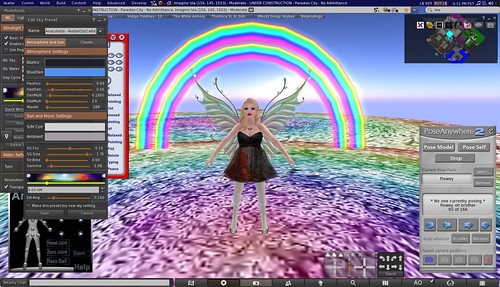
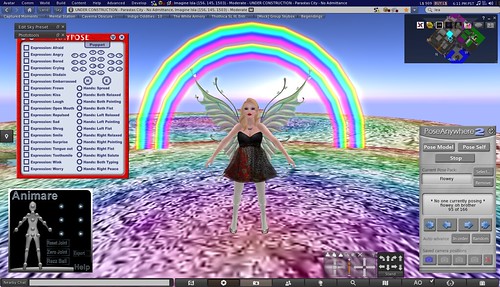
This is my photography array - focusing on the HUDs which come with Firestorm. Phototools allows for in depth manipulation of windlight settings, light and shadows, depth of field, rendering settings, aids, and camera controls. I also open up a HUD of windlight settings, largely so that I can edit the Est Angle and the time of day. As long as you keep that window open, the settings remain in place and you can take pictures with them.
Photography Setup - Semi Clean

Like Berry, I use the Anypose HUD for setting my eyes and expression. I particularly like it because you can close the HUD to take up less space once you've set your face. When a pose is not cooperating - usually the arms or hand - I use the Animare HUD which allows for independent movement of joints and limbs to "fix" a pose. Finally, there is my PoseAnywhere HUD which I have organized by store. I have been planning on making a separate "sitting" and "floating" sets, but so far haven't as it requires a significant outlay of time. I actually have several versions of the HUD, each one organized alphabetically so I can switch between stores. I tend to use a single store's poses per photoshoot for ease of credits.

I hope that these techniques and tools come in handy for people!

Thursday, February 10, 2011

Newbie Resources: Second Life Dictionary

Joining Second Life means learning a whole vocabulary which has built up over time to explain things in a new world. Here are a few useful terms for your edification.

AO: Animation Over-rider. It's something either part of a browser or in an object you wear which makes your avatar move in a way different from the default moves.

Alt: Alternate accounts in Second Lie (and elsewhere).  

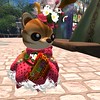
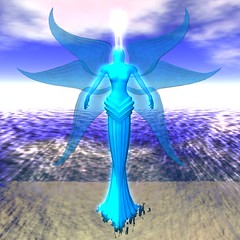
Avatar: The form your account takes in Second Life. The basic avatars are humanoid, but many stores sell avatars in other shapes, form mundane animals to fantastical beasts.
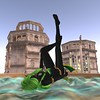
Flowery Chipmunk 2011-02-09_001 Of Wolves and Demons Honeyblood Portrait

Bling: A specific script, usually put in jewelry, which causes flashes of white to show up around an item. Bling has a certain amount of controversy, often critiqued as being crass or unattractive.
Blinging Poster_001

Building: Taking shapes, called prims (short for primitives) and combining them to make things.
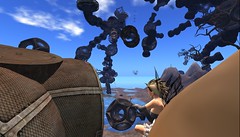
Art Museum 2010-11-14_003 Jabberwocky Hunt_028

Chat: Communicating with other people through text, either in the immediate surrounding or through long distance or group communication.

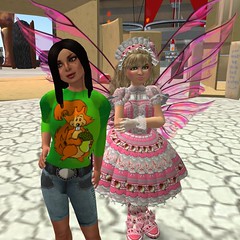
Child Avatars: Small avatars shaped to look like children. Short avatars are sometimes mistaken for these. Child Avatars may be banned from set Mature and Adult sims due to fears of their being exposed or included in sexual things. Some child avatars get families or speak in their own language of a kind which imitates lisps and primitive English grammar.
2010-10-24_003 2010-10-24_002

Click, Click On: Put the cursor on an object and click the mouse like you are clicking on a web link to open it (also called touch).

Emote: Communicate something in text as if you are doing it, for example: type '/me dances.' to shares [Your Username] dances.

Face Light: A thing of evil. A light source placed in front of someone's face to light it up. Before windlight (see below) faces were often dim, and so people would add a face light to light themselves up. These were often too bright, lighting up to a radius of ten meters around a person. Post-windlight, sometimes facelights can truly wash out the area around them. Face lights remain a source of controversy.
Facelights Wash You Out Facelights Wash Me Out Too

Flexi: Flexible. It's a setting you can set on an item which will make it bend.
2010-11-19_002 2010-11-12_010


Gesture: A pre-set series of scripts, text, sounds, and animations that are started by a trigger word. There are some inherent to Second Life's programming, or you can purchase them.

Glow: A setting on prims which makes them appear to (shocking) glow.
2010-10-22 Fangbangers_008 Jabberwocky Hunt_021

Group: Something you join which allows for chat, distribution of notecards, sharing of land, land-rights, titles over your name, and other perks. You have up to 42 group slots in Second Life. You may be charged Linden to join a group.

Home: A point where you get sent back to when killed (only possible on some grids) and where you can return too easily. You can set them in certain sims.

Hovertext: Text which hovers over an object, initially caused by a script. It remains even after the script is removed, so the script has to be reset to not have any text before removing it.

Inventory: Items you own; can include anything created in Second Life, including things which seem counter-intuitive like houses and pets.

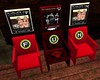
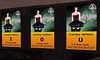
Lucky Chair/Board: A chair or board you can find which shows a number or letter of the alphabet. When the first letter/number of your name shows up, you click it or sit on it and you win the item.
R U B F U N OMG Blue Blood Owes Us!

Main: Main account in Second Life (and elsewhere).

Mesh: A different way of uploading content which is more in line with content in other video games. Mesh can be in a rezzed (see below) object or worn. When worn, there is a setting called "rigged" which connects the size and shape of the mesh object to the skeleton of your avatar. This has been used to make much larger and much smaller avatars, as well as more realistic styles of clothing. These are made in an outside program, like blender.
A Moment's Rest Bloody Dance The World May End, But I Have Awesome Boots Talk to the Hand Candid 

Midnight Mania: Midnight Manias are a sales and traffic driver for retail stores, whereby if the customers can get a number of people to click a board in a day, then everyone gets something for free.

Mini-mania: Like a midnight mania but not time dependent, where a much lower number of people need to click (usually 5-10 range) to get a chance at winning the item, one person per round.

Permissions:  The rights a user has with an object. All prims (see below) you make are full permission to yourself, and have auto-set permissions to anyone you hand them too. The permissions are: copy, modify (mod), transfer (trans). Most creators make something either copy or transfer, not both; modify permissions are much more idiosyncratic. Full Perm means you have full permission to copy, modify, or transfer something. Permissions are also what you are allowed to do on a sim, like create things or run scripts.

Petites: A form of mesh (see above) avatar that is about 1/3 the size of a standard avatar. A couple of other specifically smaller avatars have been made, like Minikins.
Suddenly Shy Attitude Bathe

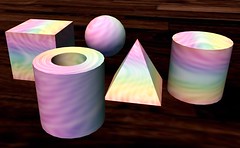
Prims: Primitives - a single item or shape. Used to build things.
Shapes

RP: Role Playing. Where you dress up your avatar and act out roleplaying, often in a sim partly or wholly dedicated to the roleplaying universe, complete with buildings and stores. Sub-terms- IC (In Character), OOC (Out Of Character).

Script: A program which causes things to happen. It has it's own programming language and more information can be found here.
Get a Clue Art Museum 2010-11-14_001

Sculpty: A primitive in a non-basic shape. Sculpted prims, or sculpties are usually made in an external program, like Blender.
Blue! Rainbow Fangbangers_003
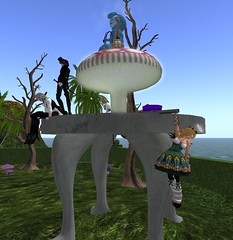
Tinies: Small avatars, often animal shapes and much, much smaller than the usual avatar. Tinies can have their own culture and gathering places.
2010-10-30_005 Flowery Chipmunk OMG, So Cute!!
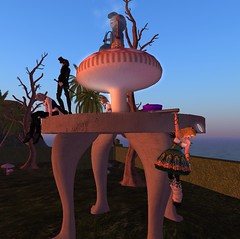
Rez: 1) To appear in the world as an avatar (most people have a "rez date" which is the date of their account creation); 2) To cause something to appear in your environment by dragging it from your inventory onto the ground of a place with building permissions; 3) The process of the things around you moving from a gray, unsculpted form to the final, textured form.

Sim: Short for Simulator, it indicates the land you're standing on. Sims can be linked up to each other to make larger land.

Windlight: A lighting system for Second Life which allows a person to modify most of the aspects of their surrounding in terms of lighting and the appearance of the sky and water.
Windlight: Sunset Windlight: Noon Windlight: Sunrise Windlight: Midnight